
Use Cases
Readiness, Decisions, And Handoff By Role
From refinement and sprint planning to stakeholder decisions and implementation handoff, see how Stream Central changes the workflow for delivery-critical roles.
Portfolio Leaders
CPOs, VPs of Product, Directors of Engineering
Common Challenges
- No clear view of progress across multiple value streams
- Status meetings that consume time but do not surface real risks
- Difficulty connecting strategic investments to actual outcomes
- Surprises when projects slip or dependencies cause cascading delays
How Stream Central Helps
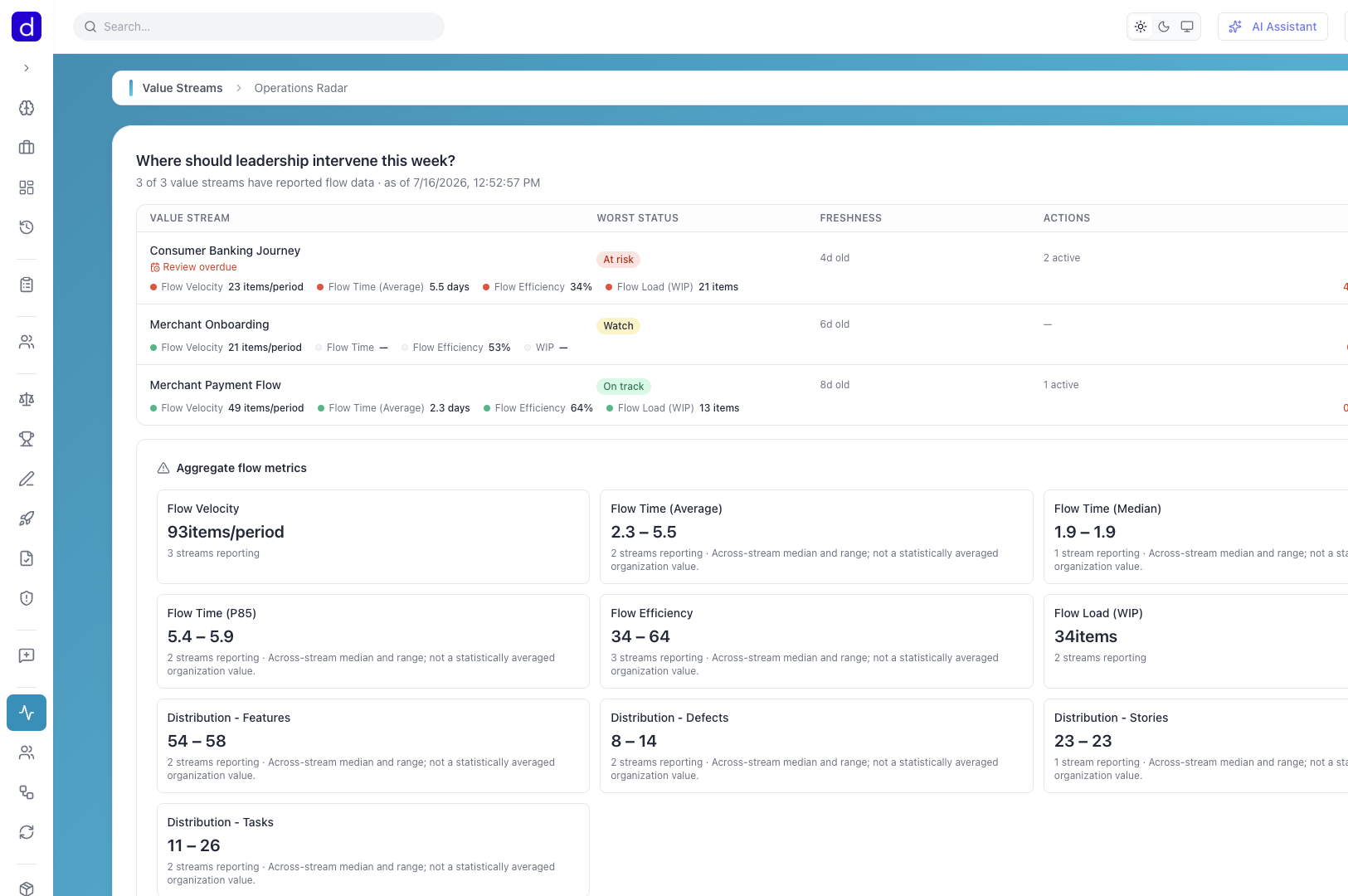
Cross-Stream Visibility
See health and progress across all value streams in one workspace. No more chasing updates from each team.
Objective Alignment
Track how work across the portfolio contributes to strategic objectives. Spot when efforts drift from priorities.
Ceremony Intelligence
See PI Planning confidence votes, retro outcomes, and planning milestones without chasing updates across meetings and documents.
Flow & DORA Metrics
Track deployment frequency, lead time, MTTR, cycle time, and throughput by team or value stream from a single dashboard.
Portfolio & Gap Analysis
Dashboards for TIME distribution, maturity scores, and investment gap detection across your capability portfolio.
Capital Allocation
Allocate value stream profits to strategies and compare ROI against passive investment benchmarks.
OKR Check-In History
Review confidence changes, status movement, and metric snapshots before objectives drift too far off course.
Business Capability Heatmaps
Visualize portfolio health with TIME classification and maturity assessments across capabilities.
AI-Powered Insights
Context-aware AI assistant provides suggestions and quick actions across all entity types.
Change Management Dashboard
Organization-wide cross-plan analytics with stakeholder impact analysis, communication overlap detection, and resistance patterns.
Data Architecture & Usage Impact
Canonical entity modeling, governed data-point catalog, physical technical-asset mapping, ontology canvases, and operational usage across value streams and processes.
Component Evaluations
Weighted scoring matrices and TCO calculations for structured vendor and product assessment across your portfolio.
Decision Center
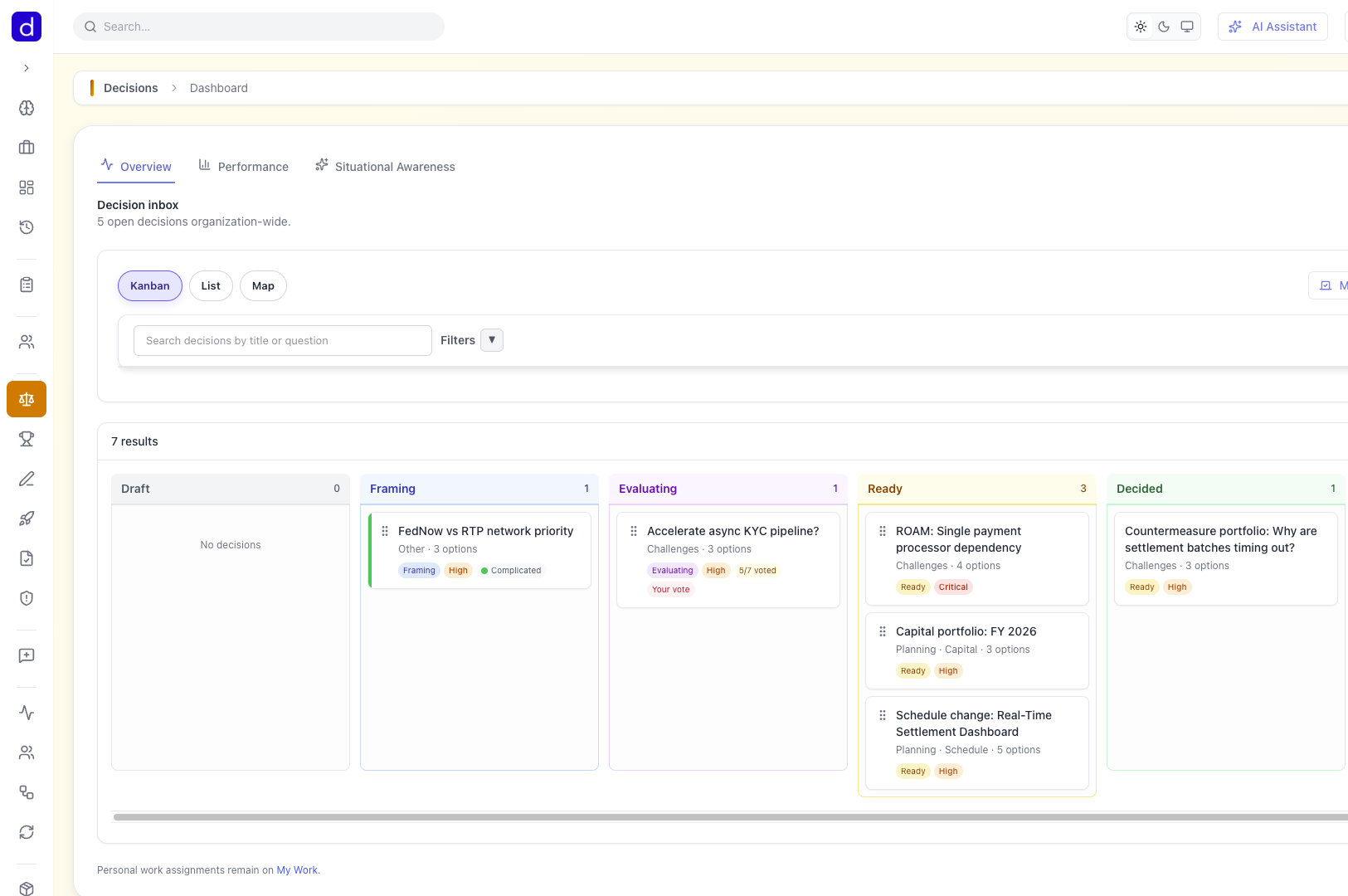
Frame consequential calls with Cynefin and Wardley-guided assessments, weigh options with evidence, and review org-level Performance analytics on decision cycle time.
Value Stream Stewardship & Operations Radar
Set RAG health targets per stream, run a stewardship loop of reviews and interventions, and rank streams org-wide by risk on one Operations Radar.
Product Managers
Own the what and why for your product area
Common Challenges
- Stakeholders constantly asking for updates you do not have time to compile
- Objectives set at the start of the quarter that lose connection to daily work
- Difficulty showing how feature requests tie back to business outcomes
- Time lost context-switching between tools to understand the full picture
How Stream Central Helps
Stakeholder Board
Give stakeholders self-serve visibility into what matters to them. Reduce ad-hoc status requests dramatically.
Living Objectives
Keep objectives connected to actual work items. See real progress, not just milestone checkboxes.
Demo Review Analytics
Analytics dashboard with participation rates, sentiment trends, and AI-powered demo script builder.
Feedback to Work Items
AI wizard extracts key points from feedback and generates work item suggestions with bulk triage actions.
Solution Ideation Wizards
AI-driven multi-step wizards for creating solutions from problems, RCAs, or capability gaps.
Organization Priorities
Score the full backlog in one session, sort by WSJF, and run prioritization conversations without exporting to spreadsheets.
Value Stream Revenue
Track allocated revenue per value stream and fiscal year to connect product work to business outcomes.
Blog & Marketing Content
AI-generated blog posts, marketing campaigns, GTM playbooks, and briefs from product context with stakeholder targeting.
Solution Storyboards
Share interactive storyboards, publish branded showcase pages, and connect stakeholder journey maps directly to the backlog.
Planning Story View
Turn a strategy plan into a narrative of direction, choices, and commitments that execs, leaders, and teams can actually follow.
Product Owners
Bridge between stakeholders and delivery teams
Common Challenges
- Backlog items that lack clear connection to strategic goals
- Constant reprioritization requests without objective criteria
- Difficulty communicating the why behind work to the team
- Grooming sessions that drag on without clear outcomes
How Stream Central Helps
Objective Linking
Connect every backlog item to objectives. When priorities shift, you can show exactly what is at stake.
AI Grooming Assistant
Get help breaking down epics, refining requirements, and identifying gaps. Faster, better grooming sessions.
Split Detection & Decomposition
AI flags oversized items before planning poker and suggests cleaner decompositions with acceptance criteria ready to review.
AI Test Case Generation
Automatically generate test cases from acceptance criteria and NFRs with coverage tracking.
WSJF Scoring & Ranking
Use objective scoring with configurable dimensions to prioritize work. Make trade-off conversations data-driven.
Solver Integration
AI-powered optimization of backlog prioritization with constraints for capacity, dependencies, and objectives.
Template Import
Quick-start with community templates for value streams, stakeholder hierarchies, and work item structures.
Delivery Acceptance
Structured acceptance workflows with approval chains and completion criteria tracking.
AI Readiness Review
AI-powered assessment of work item readiness with improvement suggestions before sprint commitment.
Problem Scoring
AI-powered objective scoring of problems across configurable dimensions with evidence and comparison views.
Release Management
Link work items and feature flags to releases, generate release notes, and send notification emails to stakeholders.
Scrum Masters & Agile Coaches
Enable teams to deliver value sustainably
Common Challenges
- Flow problems that are hard to see until they have already caused damage
- Dependencies on other teams that are not visible until sprint planning
- Difficulty connecting team metrics to broader value delivery
- Retrospectives that lack concrete data to drive improvement
How Stream Central Helps
Flow Visibility
See how work moves through stages. Identify bottlenecks, aging items, and throughput drops before they become blockers.
Ceremony Orchestration
Run PI Planning, Sprint Planning, and Retrospectives with structured phases, confidence voting, and captured outcomes.
Flow & DORA Metrics
Track velocity, cycle time, deployment frequency, lead time, and MTTR without building a spreadsheet between ceremonies.
Dependency Tracking
Visualize cross-team dependencies with interactive graphs. Know what is coming and coordinate before conflicts arise.
Demo Review Sessions
AI-powered demo scripts, work item delta tracking, and analytics dashboards for better sprint reviews.
PI Planning Support
Manage program increments with capacity tracking and team assignments. Structured planning that works.
Retrospective Dot Voting
Capture retro items, vote on what matters, and turn improvement themes into a visible system of record.
Test Run Management
Create and manage test runs for sprints, PIs, and releases with execution tracking.
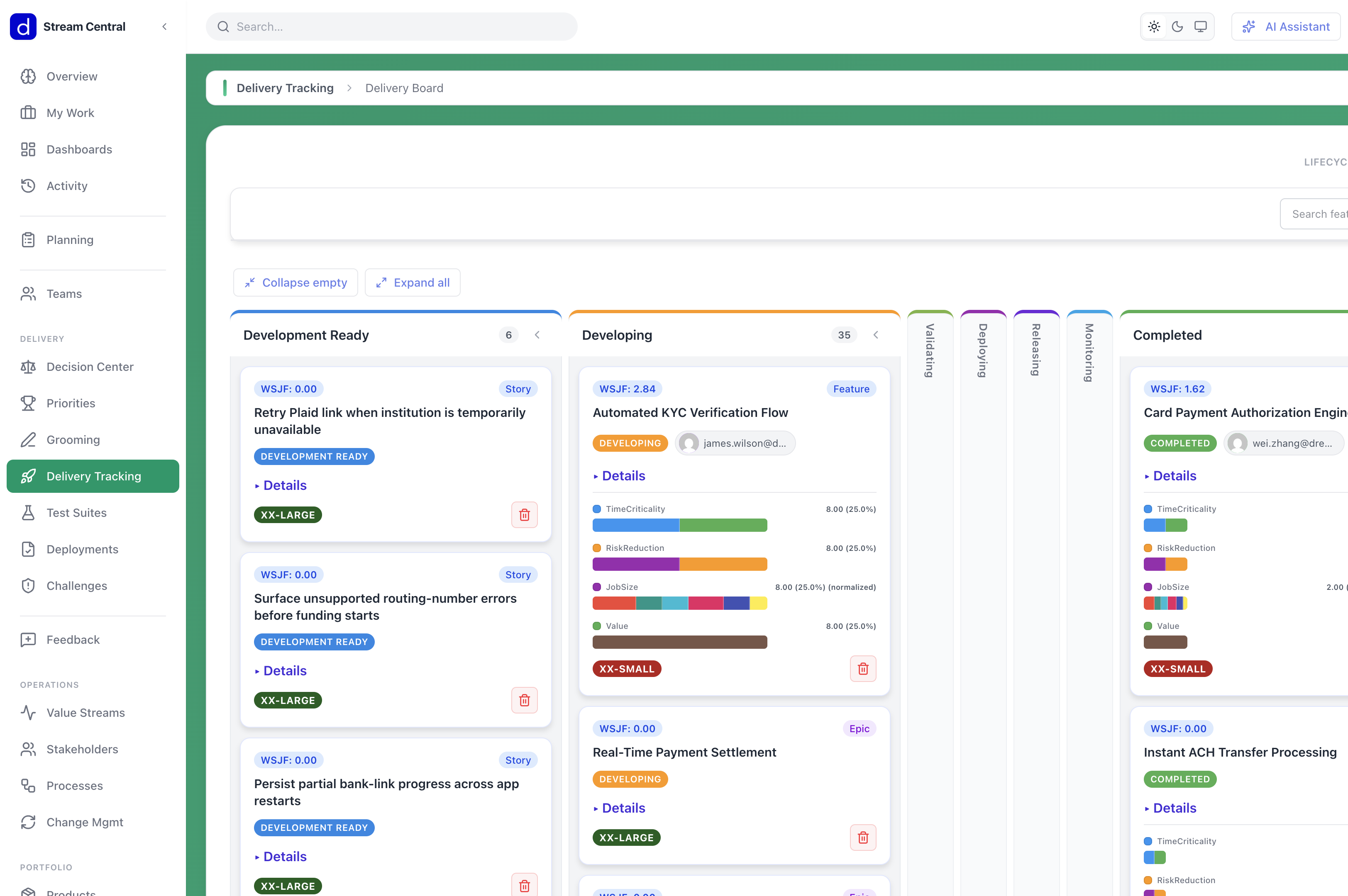
Delivery Tracking
Standup dashboard, sprint health scoring, impediment board, and burndown tracking in one daily cockpit.
Planning Poker
Real-time estimation with card voting, consensus tracking, and automatic story point assignment.
Outcome Connection
Help the team see how their work contributes to objectives. Purpose-driven delivery.
Risk & Change Management
Track risks with ROAM classification and manage change plans with readiness assessment and resistance mitigation.
Waste Identification
Track Lean DOWNTIME waste linked to value stream activities and work items for systematic elimination.
Individual Contributors
Developers, designers, and specialists doing the work
Common Challenges
- Working on tasks without understanding why they matter
- Context scattered across multiple tools and documents
- Blocked by dependencies you did not know existed
- Difficulty seeing how your work fits into the bigger picture
How Stream Central Helps
Clear Context
See exactly how your work item connects to objectives and value streams. Understand the why behind every task.
Rich Work Items
All the context you need in one place: requirements, acceptance criteria, test cases, mockups, and notes.
AI Assistant Sidebar
Context-aware AI suggestions and quick actions available on every entity you work with.
VS Code Integration
Access work item context directly in your IDE. Stay in flow without switching to another tool.
Test Case Editor
View and manage test cases with execution tracking and coverage visibility right in the work item.
Screenshot Feedback
Annotate screenshots directly in the browser and submit as feedback linked to work items.
Repository Linking
Link Azure DevOps and GitHub repositories to work items for commit tracking and pull-request visibility.
Feedback Loop
Connect feedback from users to the features you build. Know when your work is making a difference.
Data Architecture Dictionary
Canonical entities, governed data points, technical-asset mapping, and operational usage impact across value streams—not a warehouse catalog.
Implementation Standards
Browse versioned technology standards with AI agent config export for consistent coding practices.
Ready to align your organization?
Start your free trial and see how Stream Central works for your team.